
Cinema 4D 2024.5.0
Professional software solutions for 3D modeling, animation, simulation, and rendering.
Introduction to Cinema 4D
Cinema 4DAbbreviationC4D, is a professional software solution for 3D modeling, animation, simulation, and rendering. Its fast, powerful, flexible, and stable toolset enables professionals in design, motion graphics, VFX, AR/MR/VR, game development, and all types of visualization to achieve easier and more efficient 3D workflows. Whether working alone or as part of a team,C4DAll of them can produce amazing results.
C4DDeveloped by the German company Maxon Computer. As an excellent 3D modeling and graphics software,C4DIt has long been known for its high processing speed, high-quality modeling, and powerful rendering plug-ins. In the field of design,C4DCreating all kinds of eye-catching 3D effects is becoming increasingly common, bringing about a quantum leap in various design fields.
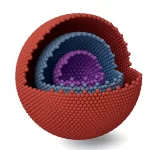
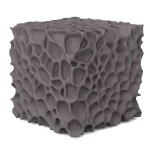
In the field of scientific research,C4DIt has also gradually demonstrated its significant modeling capabilities. As scientific research advances, ordinary two-dimensional diagrams in research papers are no longer sufficient to illustrate the mechanisms described; there is a growing demand for visually striking 3D modeling diagrams.C4D、3D MAX和Maya3D modeling software has gradually come to the attention of researchers, and 3D scientific visualization has become increasingly popular. The author has used3D MAXAfter a while, due to configuration issues, we switched toC4DFaction.C4DIt's easy to learn, produces high-quality rendered images, and has low system requirements—it may well be one of the best 3D scientific visualization software programs available!
Regarding the use of C4D for scientific visualization, the author shares the plugins and basic settings he frequently uses. Please seeInstalling Common Plugins和White Transparent Rendering Settings。
New Features
Cinema 4D Particles
UseCinema 4DParticles: Design particle simulations intuitively! WithC4DOnce the unified simulation system is integrated, artists can control emission modes, fine-tune behaviors, and coordinate interactions with Maxon’s collection of simulation types—including fire, cloth, soft bodies, and rigid bodies. Thanks to improved integration withMoGraphThe toolset is integrated, allowing users to easily duplicate emitters and forces using Cloner. Users also have greater control over particle attraction around object surfaces, as well as the collision and color of particles emitted from other particles.

Adobe Substance 3D
Cinema 4DIt provides 3D content creators with native support for Adobe's programmatic Substance 3D material workflow. Substance materials in Redshift for Cinema 4D now include improved options for adjusting material size, rotation, and color space.
Simulation
Using the Unified Simulation System, you can achieve more realistic simulations involving multiple objects with different simulation properties, such as cloth, ropes, rigid bodies, soft bodies, fire effects, and the new Cinema 4D particles. The system allows simulations to be computed on either the CPU or GPU and is highly multithreaded, delivering higher performance through complex cloth simulations. The damping behavior of rigid bodies, cloth, soft bodies, balloons, and ropes allows artists to override global damping settings, thereby improving control over simulated objects.

Mograph
MoGraphIt is a programmatic modeling and animation toolset that enables motion designers to quickly and easily create complex and abstract animations.MoGraphAt its core is the Cloner object, which allows you to clone objects in various ways. To MoGraphWith a powerful collection of effects added to your mix, you can use features like Sound, Shatter, and Field to set everything in motion—often without having to create a single keyframe!

Installation method
- Extract the downloaded compressed package into the folder. For instructions on how to download the file, please seeDownload method。

- Double-click
Cinema4D_2024_2024.5.0_Win.exeProceed with the installation. After selecting the installation location, simply click "Continue."


- Just continue through the process to complete the installation.

4. Please wait a moment and let the installation complete. The program will launch automatically; no further action is required. The version is 2024.5.0.

If you don't have Maxon, you'll need to download it from the official website.
Download method
This resource is shared for personal study only; please do not use it for any commercial purposes. Thank you!
Method 1
The files are stored in my personal space and on a cloud storage service,Cinema 4D 2024.5.0Cloud storage download link:
You need to log in to view the full content
Method 2
Scan the QR code to follow the official account:Scientific 3D Illustration, reply with the keyword in the backgroundC4DYou'll receive the download link immediately.

After following, I will share more scientific research software and materials, continuously updating. Thank you!