

Zhiyun Literature Translation — Select-to-Translate Tool
📚 No more switching windows while reading research papers: Zhiyun Literature Translation—the “highlight-to-translate” tool for researchers in biomedicine and chemical materials
A Windows desktop PDF translation tool truly designed for research environments
Free · Ad-free · Instant translation by highlighting text · Multi-engine switching · Chinese-to-English writing assistance
😫 Does your reading of research papers often get interrupted like this?
I finally managed to settle down and read an article Nature While reading a subjournal article, you got stuck on a sentence in the discussion section that read, “The catalytic efficiency was markedly attenuated upon site-directed mutagenesis.” So you:
Select → Ctrl+C → Switch to the browser → Open a translation website → Ctrl+V → Read the translation → Switch back to the PDF → Find where you left off → Continue reading → Get stuck again → Start over…
After reading through a paper, I switched windows dozens of times, and my train of thought was completely disrupted. What’s even more frustrating is that papers in the field of chemical materials are full of [Ru(bpy)₃]²⁺、ZIF-67、oxygen evolution reaction With terms like these, standard translation tools either produce nonsensical results or misidentify chemical formulas as a jumble of gibberish.
The tool I’m recommending today condenses the entire set of steps I described above into a single action:Highlight the text, and the translation will appear directly on the right. And that is—Zhiyun Literature Translation。
🧠 What is Zhiyun?
ZhiYun Literature Translation is a tool designed specifically for research settings. PDF Highlight-and-Translate Tool for Windows Desktop. It comes with a built-in PDF reader and over 40 translation engines, and its core logic can be summed up in one sentence:
It combines “reading” and “translation” into one, allowing you to understand the text without having to leave it.
It's completely free and ad-free; the latest version is currently 8.9.01F(Updated May 2026), the installer is approximately 128 MB and supports Windows 7, 10, and 11. The official website is:
🔗 https://www.zhiyunwenxian.cn
⚠️ Be sure to enter this URL manually; do not access it through a search engine—ZhiYun has explicitly warned that search engine results may contain phishing sites and counterfeit pages bundled with malicious software.
🔬 Hands-On Testing of Core Features
Real-Life Use Cases for Researchers in Biomedical and Chemical Materials
✍️ Highlight and translate
Reduce the cost of “looking up words” to nearly zero
Open a PDF document, highlight any paragraph with your mouse, and in the right-hand panelRight awayShow the translation. No need to click any buttons, copy and paste, or switch windows.
This feature is particularly valuable for graduate students in the fields of biomedicine and chemical materials. When reading the methodology section, simply highlight a passage describing Western blot procedures, and the Chinese translation appears immediately on the right. When reading the results section, if you highlight a long English sentence about “the effect of perovskite film annealing temperature on carrier lifetime,” the Chinese translation appears instantly.Your eyes remain fixed on the source text; translating is just a matter of glancing at the right side out of the corner of your eye.
At the top of the right-hand panel, there is a small “Lock Translation” icon. When you come across a complex passage that requires repeated comparison, lock it so that the translation won’t refresh the next time you highlight text. This feature is very useful—when reading the “Discussion” section, the translation of a passage remains fixed on the right, making it easy to check the correspondence between the original text and the translation sentence by sentence.
🌐 Switching Between Multiple Engines
A “Toolkit” for Dealing with Texts from Different Disciplines”
This is Zhiyun’s most underrated feature. Many people know that the “highlight-to-translate” feature is useful, but have never opened the engine-switching menu.
The total number of translation engines currently integrated with Zhiyun is More than 40...covering nearly all major translation services both domestically and internationally: DeepL, Google, Baidu, Tencent, Youdao, Sogou, NetEase, as well as large-language-model engines such as OpenAI, Gemini, DeepSeek, Zhipu, and Qianwen. These engines have different permission and credit policies, butThe number of engines available to free users is already quite substantial.——Users with 0 points have 7 engines available by default, while users with 200 points (points are earned for free and are not consumed) have access to 12 engines.
However, what I want to emphasize isGoogle's Biomedical Search Engine。
This engine has been specifically trained using a large corpus of biomedical texts in both Chinese and English, enabling it to handle specialized terminology.Close to the quality of human translation. In actual testing, things like site-directed mutagenesis、competitive inhibition、immunoprecipitation The translation accuracy for these types of terms is significantly higher than that of general-purpose translation engines. If you are reading literature in the fields of molecular biology, cell biology, or pharmacology,This engine should be your default choice.。
What about the field of chemical materials? Zhiyun features built-in vertical terminology databases covering more than 30 disciplines, including materials chemistry, biomedicine, and computer science, and allows users to create their own specialized dictionaries and set priority weights. In other words, you can pre-enter terms commonly used by your research group—such as a type of MOF material you’ve named yourselves or specific codes for synthetic routes—into the terminology database, ensuring that your custom translations are prioritized during the translation process.This feature is extremely valuable for research groups that need to maintain consistency in terminology.
For engine switching strategies in actual use, you can refer to this approach:
- Biomedical Literature → Use Google's biomedicine-specific search engine whenever possible
- Literature on Chemical Materials → Prioritize using large-model AI engines (such as DeepSeek or Zhipu), because large models are better at understanding the logic of long sentences and the context of chemical formulas.
- Quick Preview of Plain Text → Use Baidu or Tencent—they sound the most natural in Chinese.
You can switch between options in the drop-down menu at the top of the right-hand panel at any time without having to restart the software.
📄 Full Translation
“Full-Text Comparison” When Carefully Reading a Research Paper”
Translating selected text is useful for quickly screening literature, but when you determine that a particular article is worth a thorough reading, translating the entire article is more efficient.
Top Menu Bar → Translate → Translate Entire Article; the software will automatically generate the translationOriginal text in the left column, translation in the right columnA side-by-side comparison view. The positions of charts, formulas, and paragraph numbers correspond exactly, so you won’t run into frustrating situations like “the translation pushing a figure onto the next page.”
Translating the entire text will use up a certain number of characters, so my suggestion is:
First, use the "highlight-to-translate" feature to quickly skim the abstract and conclusions to determine whether the paper is worth reading in full; once you’ve confirmed it is, start the full-text translation for a thorough reading.
This way, you won't waste your quota or miss any important publications.
🇨🇳→🇬🇧 Chinese to English
“The Unseen Helper” When Writing a Thesis”
This is a feature of Zhiyun that’s easy to overlook but is actually used quite frequently.Each translation engine supports both English-to-Chinese and Chinese-to-English directions....You can switch between them at any time at the top of the right-hand panel.
For graduate students in the fields of biomedical and chemical materials, the use cases for this feature are very clear:When writing a paper。
Once you’ve formulated a Chinese phrase in your head—such as “This composite material exhibits excellent degradation rates and biocompatibility in a simulated bodily fluid environment”—type it into the Zhiyun translation box, select the large-model engine, and the resulting English will often be authentic academic language rather than a literal “Chinese-style English” translation. This is much smoother than opening a web-based translation tool and then copying and pasting the text back into Word.
Starting with version 3.0, Zhiyun has included a Chinese-to-English translation engine, and starting with version 4.0, it supports “Input Translation Mode,” which allows users to paste text directly into the software for translation without having to open a separate web page.Reading literature and writing papers—a closed-loop process all within the same tool.
🔁 Cross-page translation
“Essential Details” for Academic Papers”
Paragraphs in academic papers often span two pages. You might highlight text on the first page, only to find that the sentence isn’t finished—the rest of it appears on the second page. If you highlight it in two separate selections, the translated meaning will be disrupted.
ZhiYun's solution is ingenious:
First, select the text on the first page, then hold down the Alt key and continue selecting the content on the next page. When you release the mouse, the two sections will automatically be combined for translation.
This feature may seem unremarkable, but it’s a lifesaver every time I read a two-column SCI paper.
🌙 Eye Protection Mode + Built-in Annotations
Great for long hours of “grinding”
Reading academic papers is a process that puts a heavy strain on the eyes. Zhiyun comes with three built-in eye-protection background colors:Vellum (Warm Yellow), Bean Paste Green, Night Mode...You can switch between them with a single click under “View” in the top menu.
At the same time, Zhiyun is a fully-featured PDF reader in its own right, supporting annotation tools such as highlighting, underlining, notes, and typewriter mode. Annotations are saved directly within the PDF file and remain visible when opened in other software.Read, translate, annotate, and add notes—all in one software.
💻 Download and Installation: Done in Three Minutes
Download Method 1:
As of the latest version,ZhiyunTrans_setup8.9.04ADownload link:
You need to log in to view the full content
Download Method 2:
VisitZhiyun Official Website...Click “Download Now” on the homepage to get the latest installation package. The official website offers both Zhiyun Literature Translator and Xtranslator; please be sure to distinguish between the two.
Installation Instructions:
1. Double-click the downloaded .exe File: Agree to the User Agreement, then click Next.
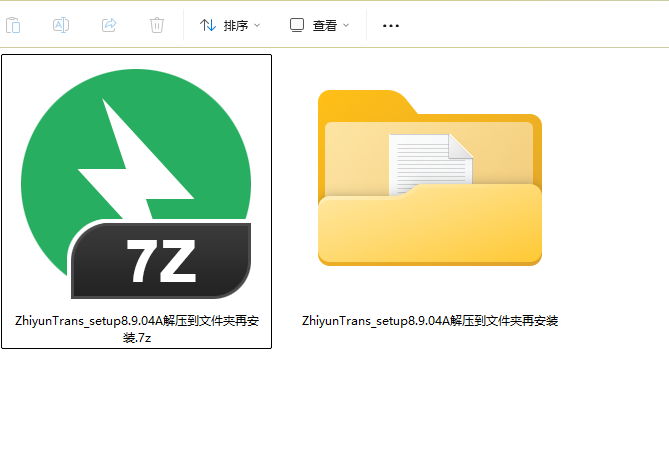
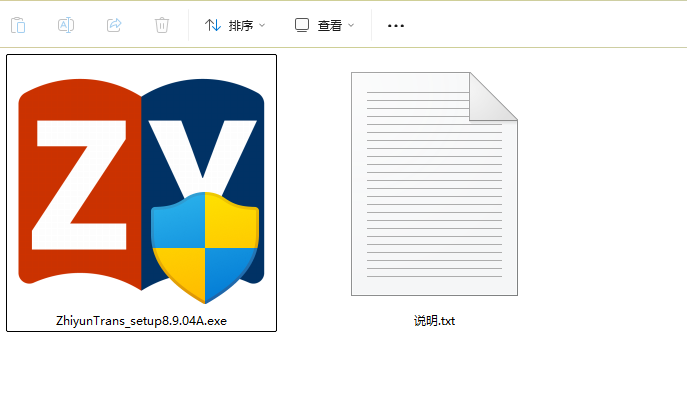
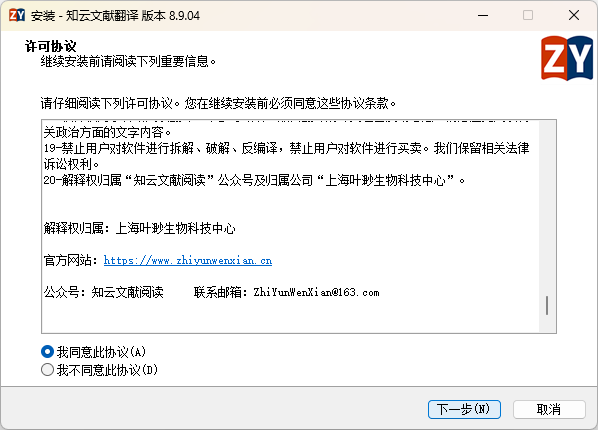
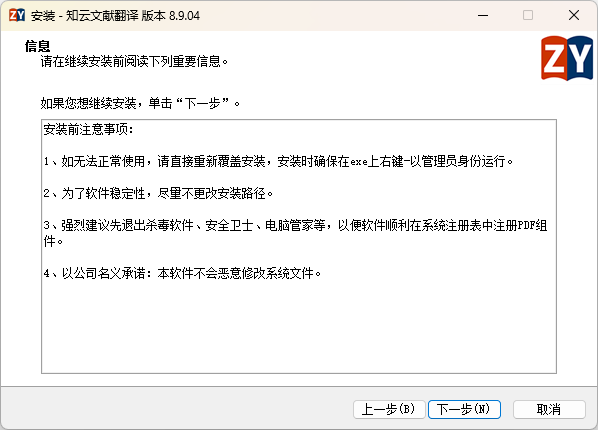
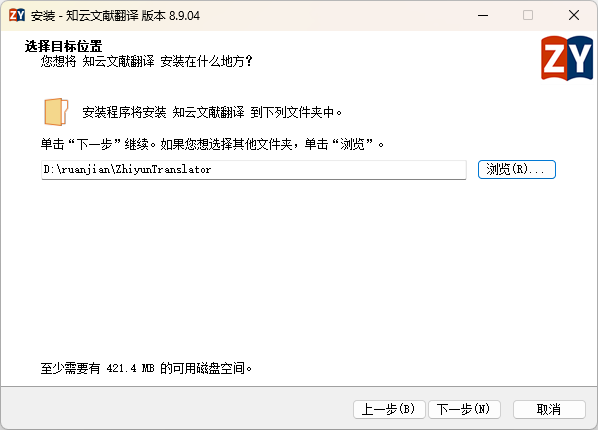
2.We recommend changing the installation path to a drive other than the C drive.(For example, Drive D). The size of the Zhiyun software itself, combined with its cache files, will continue to grow, and installing it on the system drive can slow down your computer.
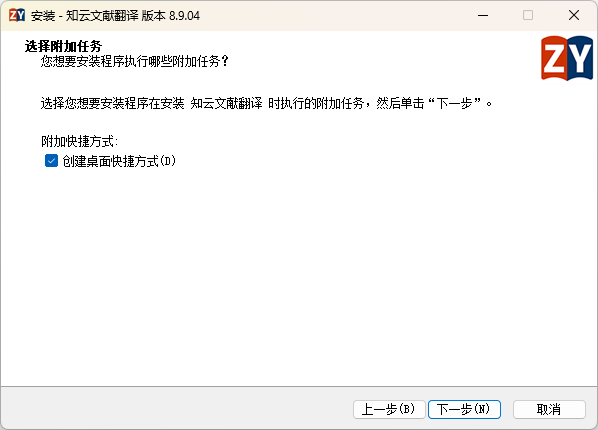
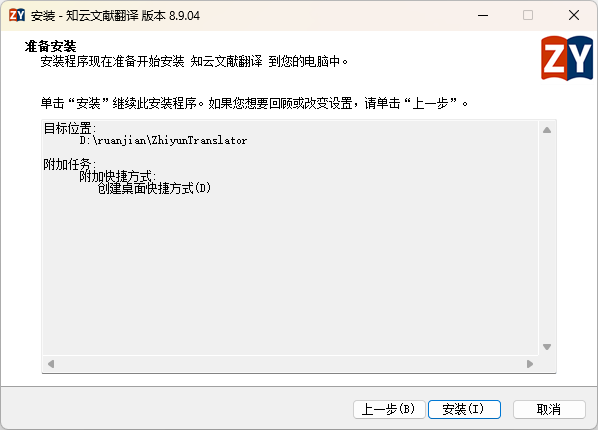
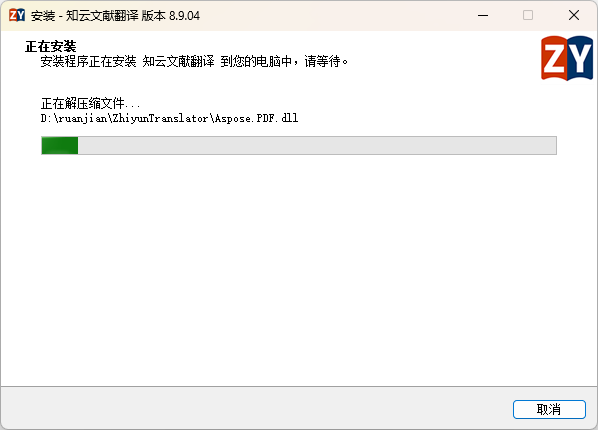
3. Check the “Create a desktop shortcut” box, click Install, and the process will take about a minute to complete.
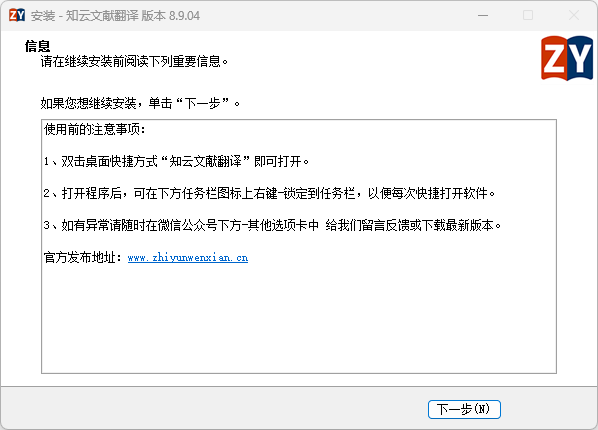
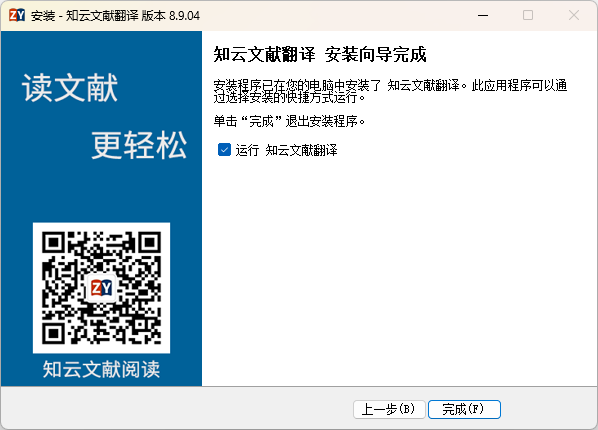
4. When launching the app for the first time, we recommend scanning the QR code with WeChat to register and log in. Once registered, you can unlock additional engine features and character limits for free,The core text-selection translation feature is not subject to usage limits and can be used even without registration.。
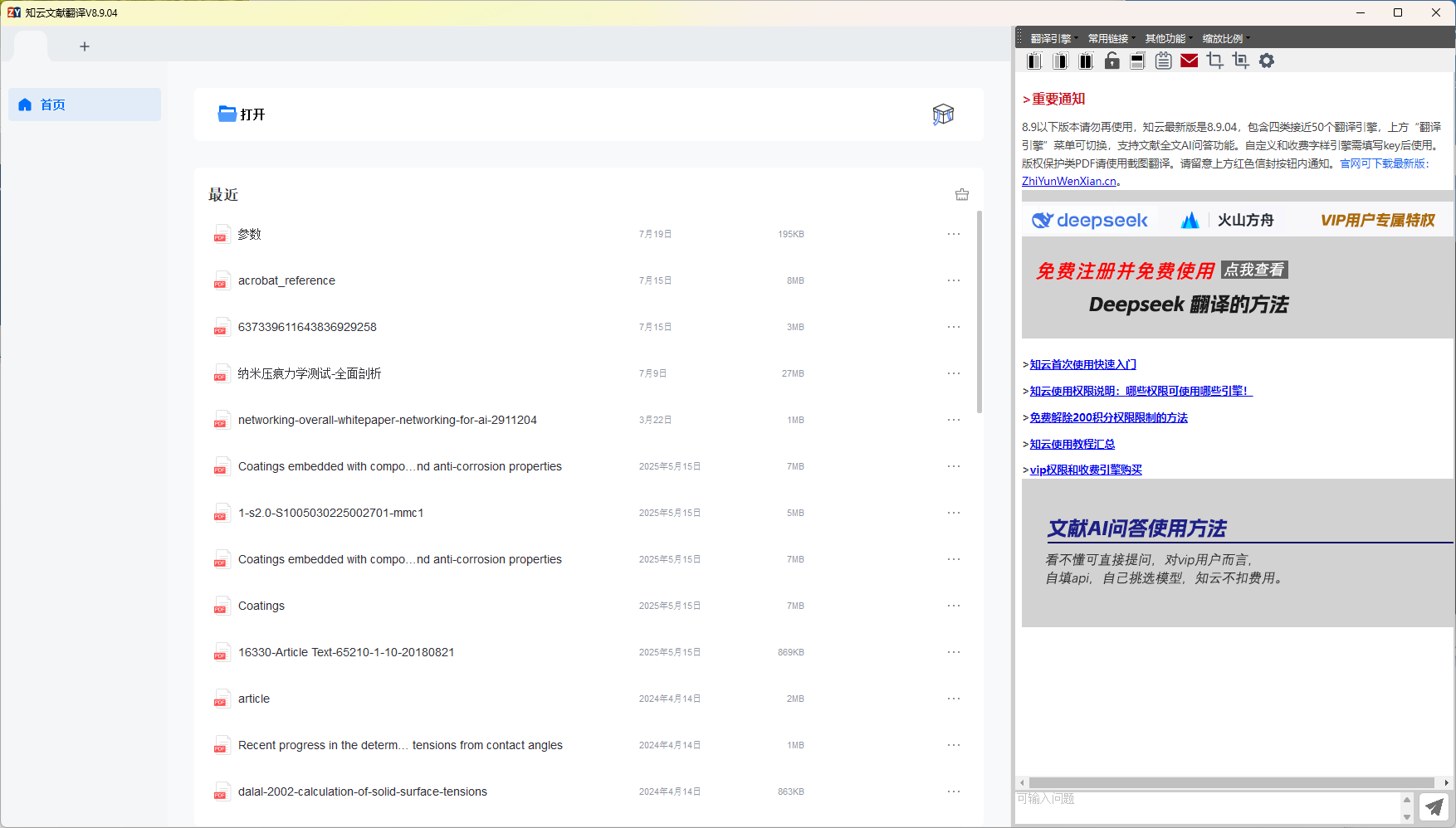
📌 A quick reminder: Once the installation is complete, two icons will appear on your desktop—one is the installation package, and the other is a shortcut. The shortcut icon has a small white arrow in the lower-left corner. Do not leave the installation package on your desktop; otherwise, accidentally clicking it will trigger a reinstallation every time, which is a waste of time.
⚖️ Pros and Cons
👍 Pros
- The translation response when highlighting text is extremely fast, truly achieving “zero switching cost.”
- There are enough free engines to meet everyday needs, and you can use the core features without registering.
- The quality of terminology handling by specialized biomedical engines is indeed superior to that of general-purpose translation.
- It combines reading, translation, and annotation into one tool, reducing the need to switch between different software applications.
- No ads, a clean interface, and no pop-ups to distract you.
👎 Points to Note
- The PC version primarily supports Windows.. Mac users will need to use the online version or choose a similar alternative.
- The stability of some free engines depends on the Zhiyun team’s maintenance schedule. If a particular engine is temporarily unavailable, you can simply switch to another one, or follow the official Zhiyun tutorial to configure a custom API for a more stable experience.
- You cannot directly highlight text in scanned PDFs; you must first convert them using an OCR tool or use the new feature added in version 8.7.02 or later of Zhiyun.Screenshot Translationfeatures designed to handle these types of files.
🎯 Who is it for?
If any of the following apply to you, it’s worth installing Zhiyun on your computer:
- Graduate students in the fields of biomedicine and chemical materials: I have to read a large volume of English-language literature every day, which contains many technical terms and long sentences, making general translation tools insufficient.
- Researchers who are preparing to propose a research project or write a review: When you need to quickly screen and closely read a large volume of literature, combining word-by-word translation with full-text translation can significantly speed up the process.
- Researchers who need to write an English-language paper: The Chinese-to-English translation feature can serve as a supplementary reference for academic writing.
- Any research grunts who find “reading English literature exhausting”: The value of a tool is that it makes this task less tiring.
✍️ Final Thoughts
ZhiYun Document Translation isn’t one of those tools that’s “packed with a bewildering array of features, but few of which are actually useful.” Its core logic is very clear:Reducing the friction involved in “reading English-language literature”. The "Highlight-to-Translate" feature eliminates the need to switch between tools; the multi-engine system ensures subject-specific accuracy; the Chinese-to-English translation feature provides writing assistance; and the eye-protection mode and annotation tools ensure comfort during extended use. Every design element is geared toward a single goal—allowing you to focus your energy on understanding scientific content, rather than on navigating the tool.
If you haven't tried it yet, take three minutes to download and install it, open a paper you've been reading recently, and highlight a passage to give it a try. Chances are, you'll think:
“Why didn’t anyone tell me this when I was a first-year grad student?”
📢 I’ll keep updating all the tools and resources mentioned in this post on my website. If you’d like more recommendations for research software, graphic design resources, and productivity tools, feel free to follow my WeChat official account—there’s even more content there to “make research a little easier.”